Hi everyone,
I am currently running a model of an open pit with faults using FLAC3D v7. The geological units were imported as DXF files, while the faults were added as planar structures via Griddle and defined as interfaces in the model:
; ---------------- Fault properties ------------------

zone interface name 'F1' node prop stiffness-normal 0.559e9 stiffness-shear 0.224e9 fric 35 coh 0.22e6 ten 0.02e6
zone interface name 'F2' node prop stiffness-normal 0.559e9 stiffness-shear 0.224e9 fric 35 coh 0.22e6 ten 0.02e6
zone interface name 'F3' node prop stiffness-normal 6.785e9 stiffness-shear 2.714e9 fric 36 coh 0.25e6 ten 0.02e6
The outer rock mass is modeled using the Mohr-Coulomb (MC) criterion, while the pit area uses Hoek-Brown (HB). Since the host rock is expected to be anisotropic, I’ve applied the Ubiquitous-Joint model only in a close area to the pit (not all model to save some calculation time).
To simulate a disturbance around the pit during excavation stage, the parameters are reduced using the Disturbance factor of 0,7.
I run two models:
- Test01: FOS calculation without considering faults (strength reduction applied only to rock mass).
- Test02: FOS calculation considering faults (strength reduction applied to both rock mass and fault parameters).
; ---------------- computed models ------------------
model rest 'Test01'
model factor-of-safety convergence 1 filename 'Test01_Conv1_FOS_V00'

model rest 'Test01'
model factor-of-safety convergence 1 filename 'Test02_Conv1_Fault_FOS_V00' interface include 'friction' include 'cohesion'
- Test01: Velocities are on the order of 1e-5 in several areas, especially along walls semi-parallel to faults.
- Test02: Velocities are very low globally, with localized movement (≈1e-3) near the fault intersects the pit wall.
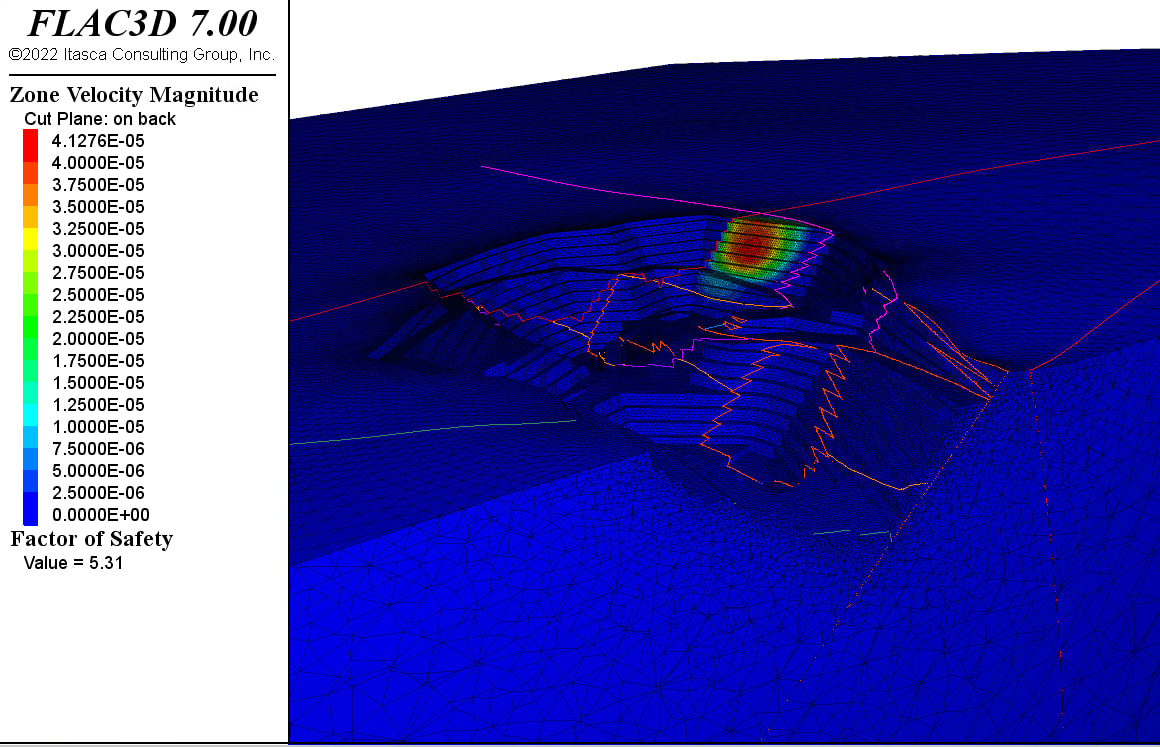


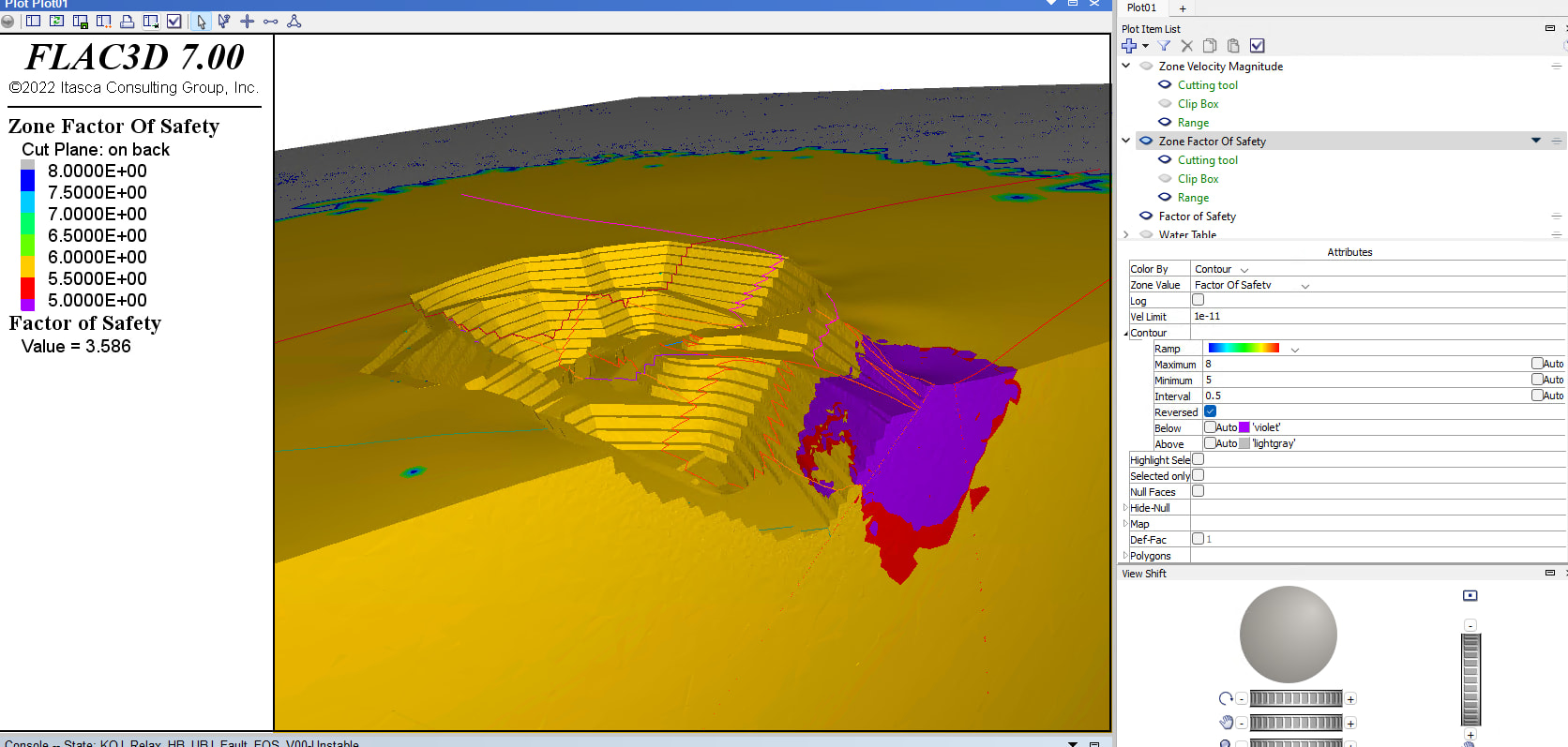
Both plots are from the Unstable .SAV results. For Test02, the velocity limits had to be set to 1e-11 to visualize changes in the FOS plot.
Why does reducing fault strength cause such a large increase in localized velocity compared to leaving faults constant? Which approach is generally considered more representative for open pit FOS analysis?
Any guidance or suggestions would be greatly appreciated.
Cheers,
Luca


